Write to my teachers
Video coming soon
What it's forAsk a question. Say you will be absent. Ask for help. Only your teachers read these messages.
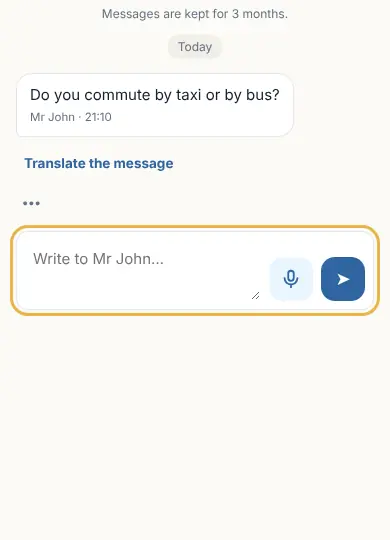
Steps
- Tap Messages.
- Tap My teachers.
- Type your message. Or tap the microphone to speak.
- Tap Send.
Tips
A red number on Messages? You have an answer.
To answer a precise message, swipe it to the right, or tap ••• then Reply. Tap the quote to see the message again.
Write in English, even with mistakes. It is good practice.
✉Still stuck?Write to us.