Install the app
Video coming soon
What it's forHave JEA on your phone's screen, like a real app.
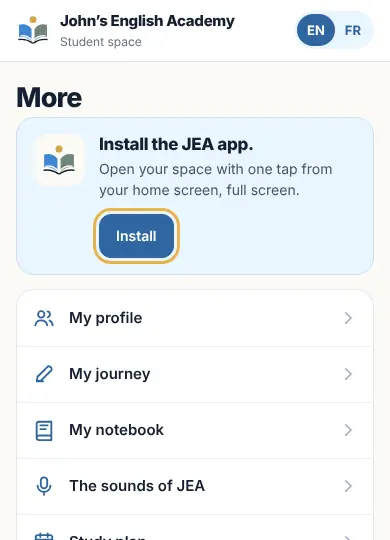
Steps on Android
- Open JEA in Chrome.
- Tap More.
- Tap Install.
Steps on iPhone
- Open JEA in Safari.
- Tap the Share button (the square with an arrow), at the bottom of the screen.
- Scroll down. Tap Add to Home Screen.
- Tap Add.
Tips
Once installed, the app opens faster. It can also send you notifications. Until it is installed, a small window offers it once a day: Install or Later.
If it doesn't work
You opened JEA from WhatsApp or Facebook? Copy the link and open it in Chrome or Safari: you can't install from those apps. You don't see « Install »? The app may already be installed. Look on your phone's screen.
✉Still stuck?Write to us.