Plan my week
Video coming soon
What it's forChoose your English moments for the week. A small plan helps you keep going. A good week gives you 2 free days.
Steps
- Tap More, then Study plan.
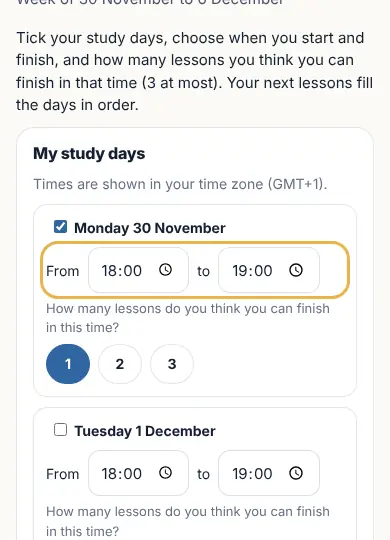
- Tick the days you will study.
- For each day, tap the start time, then the end time. The phone's clock opens.
- Choose how many lessons you can finish: 1, 2 or 3.
- Tick the speaking sessions you will go to.
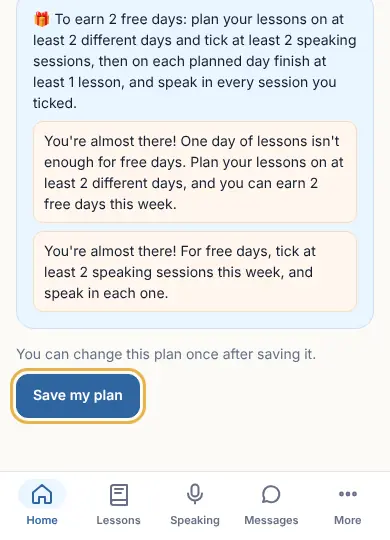
- Tap Save my plan.
Tips
Be realistic. 2 good days are better than 5 missed days.
You can change your plan only once a week. After that, it is locked until Monday.
You can always do more lessons than planned.
From Saturday, you plan the next week.
Last week was good? Tap Keep the same plan.
If it doesn't work
« The end must be after the start »: look at the times of the day in red.
✉Still stuck?Write to us.