Payments
Video coming soon
What it's forPay your month. Keep your access open.
Steps
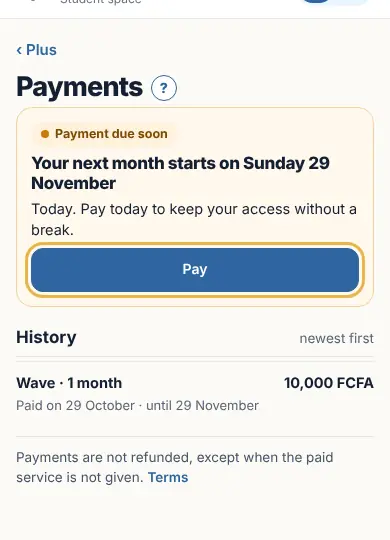
- Tap More, then Payments. You see until when you have paid.
- Tap Pay. Choose your plan (Standard or Pro) and for how long (6 months or 1 month).
- Write your details for the payment: your name, the country of your number, then the number you pay with.
- Tap Pay. Chariow's secure form opens in the page. Choose how you pay, then confirm on your phone.
- Your access is extended as soon as the payment is confirmed. You get your confirmation code.
Tips
You get a reminder 5 days before your access ends, the day before and on the last day. Pay before that date: nothing stops.
If it doesn't work
« Payment not finished »? No money was taken. Tap Try again.
The form doesn't show? Tap Open the payment under the frame: it opens in a new tab.
Money has left but nothing changes? Don't pay a second time. Your access opens as soon as the payment is confirmed.
Hard to pay right now? Tap Write to us. We will find a solution together.
✉Still stuck?Write to us.